개발 도구
Visual Studio Code 연두색 테마
Socratone
2021. 11. 13. 17:04
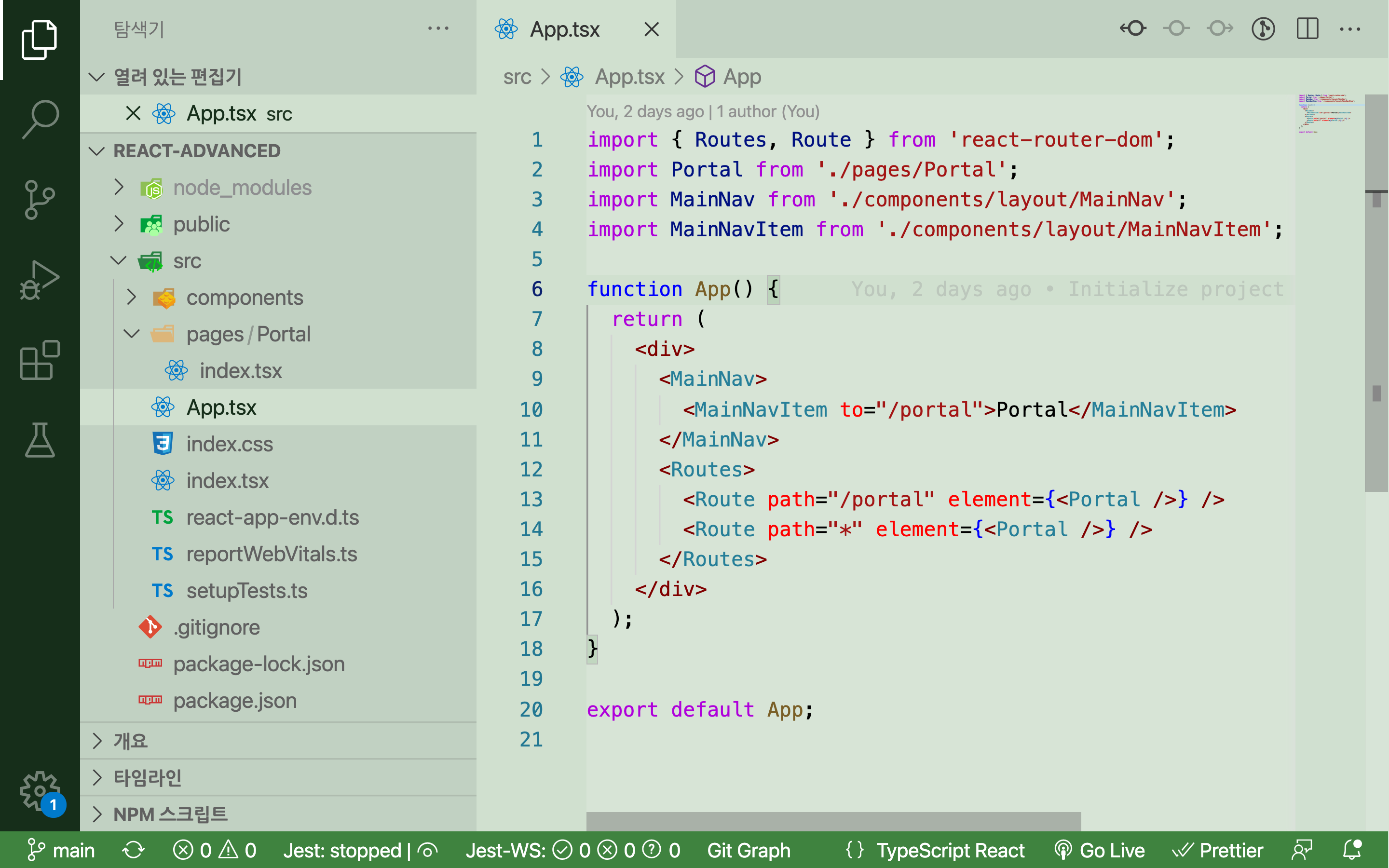
개인적으로 Visual Studio Code에서 칼라 테마를 다크 모드로 하기 보다는
밝은 색 테마를 쓰고 모니터의 밝기를 어둡게 설정한다.
이렇게 하는 것이 눈의 피로도가 덜한 것 같다.
밝은 색 테마 중 녹색 계열이 없어 커스텀을 해봤다.
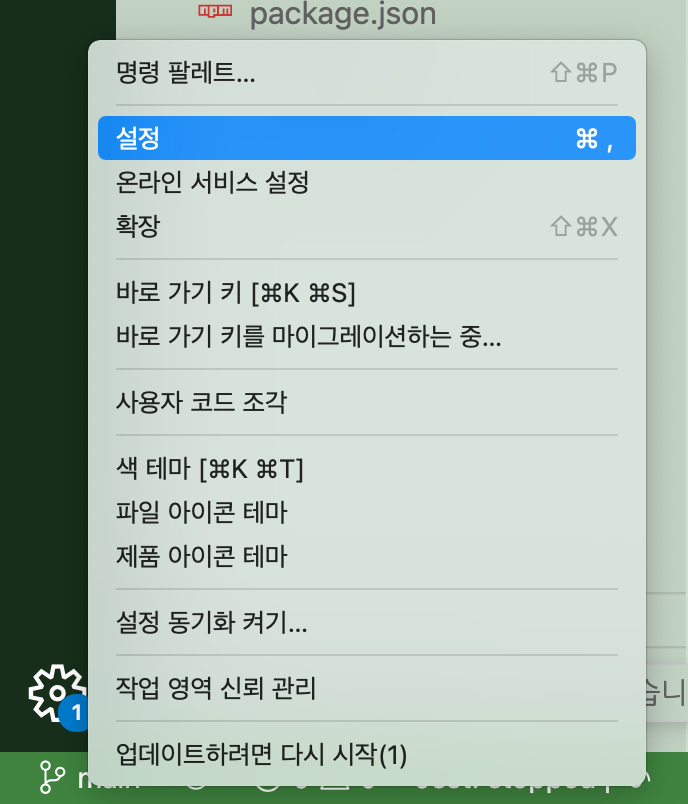
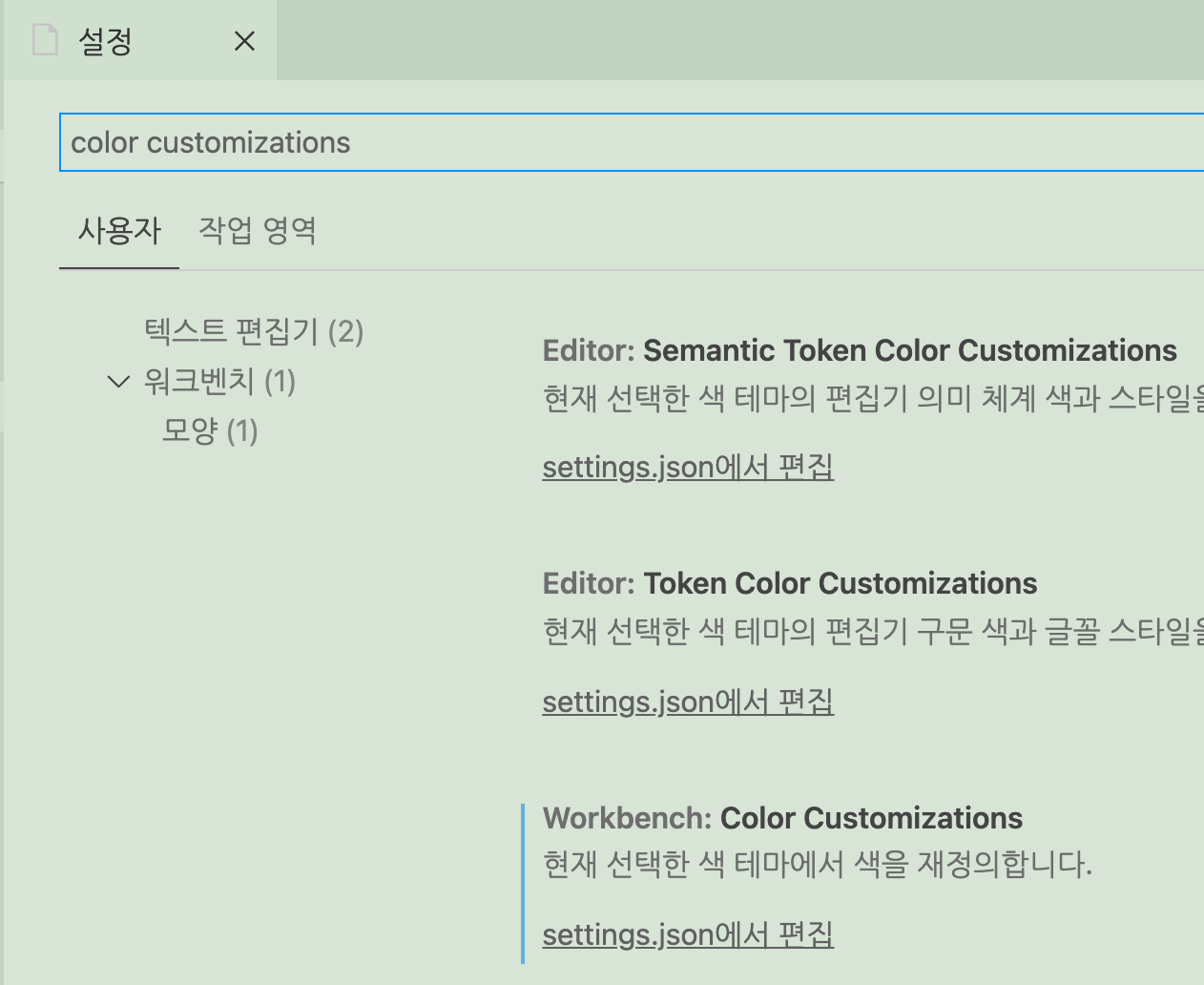
설정에서 color customizations을 검색하고 settings.json에 들어가
editor.tabSize 속성이 있는 JSON 객체에 아래의 값을 넣어주자.
"workbench.colorTheme": "Default Light+",
"workbench.colorCustomizations": {
"activityBar.background": "#162e1a", // left end
    "breadcrumb.background": "#d0e0cf", // top path
    "button.background": "#162e1a",
    "editor.background": "#d7e4d6",
    "editor.lineHighlightBackground": "#d0e0cf",
    "editor.selectionBackground": "#c1d1c2",
    "editorGroupHeader.noTabsBackground": "#c1d1c2",
    "editorGroupHeader.tabsBackground": "#c1d1c2",
    "editorGutter.background": "#d0e0cf",
    "editorWidget.background": "#c1d1c2", // cmd + p, editor hover
    "input.background": "#d7e4d6",
    "list.activeSelectionBackground": "#d0e0cf",
    "list.activeSelectionForeground": "#162e1a",
    "list.focusOutline": "#d0e0cf",
    "list.hoverBackground": "#d0e0cf",
    "list.inactiveSelectionBackground": "#d0e0cf",
    "list.inactiveSelectionForeground": "#162e1a",
    "minimap.background": "#d0e0cf", // right end
    "peekViewEditor.background": "#d0e0cf",
    "peekViewResult.background": "#c1d1c2",
    "sideBar.background": "#c1d1c2",
    "statusBar.background": "#3f833f",
    "tab.activeBackground": "#d0e0cf",
    "tab.border": "#c1d1c2",
    "tab.inactiveBackground": "#c1d1c2",
    "terminal.background": "#d7e4d6"
}